Quick Summary
- Crawling is discovery: Googlebot follows links across the web to find URLs, but does not crawl every page on every site with equal frequency.
- Indexing is not guaranteed: a crawled page can still be excluded from Google’s index due to low quality signals, canonicalization issues, or noindex tags.
- Ranking happens only for indexed pages, using hundreds of signals across relevance, authority, and experience.
- Crawl budget is a real constraint for large sites: wasting it on thin or duplicate pages means important content gets crawled less frequently.
- BERT and MUM changed how Google understands content, making keyword stuffing useless and topical depth mandatory.
- Search engines from Google, Bing, and others offer APIs that give developers programmatic access to search data, indexing pipelines, and ranking signals.
- Most SEO failures are not ranking problems; they are crawling or indexing problems that never get diagnosed correctly.
Every second, Google processes roughly 99,000 search queries. Behind each one is a system that has already read, categorized, and ranked billions of web pages before the user even typed the first word. Most people who work in SEO can name the three stages of that system. Far fewer understand what actually happens inside each one.
That gap is expensive. Businesses invest in content, spend months building backlinks, and still wonder why their pages do not show up. The answer, more often than people expect, has nothing to do with keywords or links. It has to do with whether Google could crawl the page at all, whether it chose to store it, and what signals it used to decide where it belongs in the results. Skip understanding those mechanics and SEO becomes guesswork with a content budget attached.
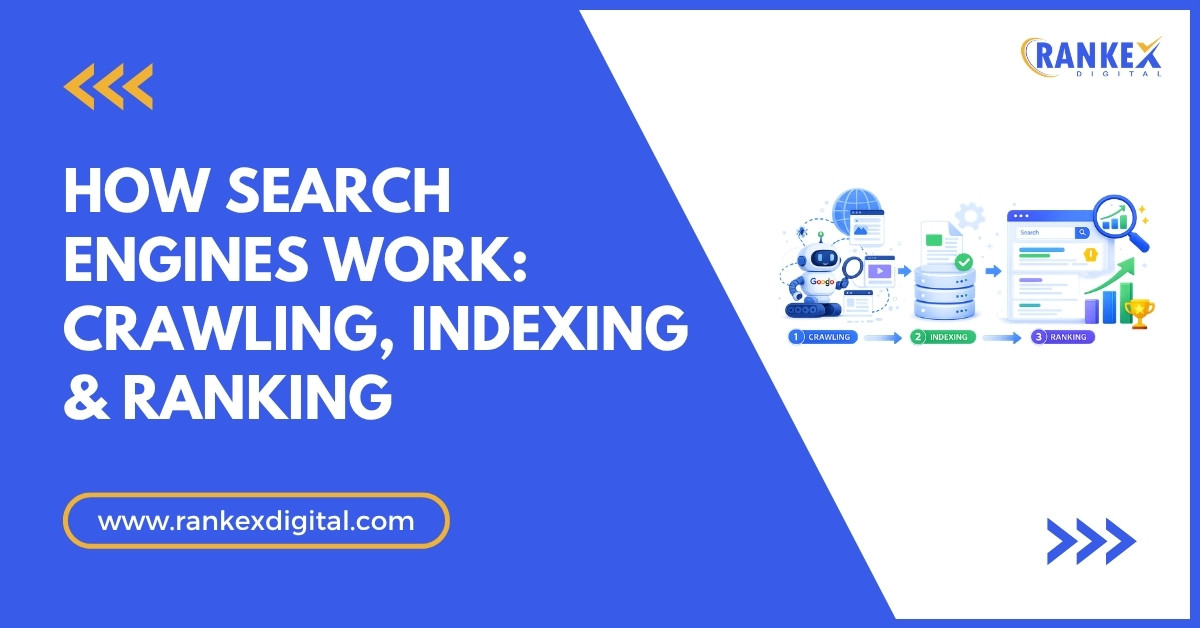
Search engines are not magic. They are systems with predictable inputs and outputs. Google sends automated programs across the web to fetch pages, processes those pages to understand what they are about, stores the useful ones in a massive database, and then retrieves the most relevant ones whenever someone searches. That three-stage pipeline, crawling, indexing, and ranking, is the entire foundation. Everything else in SEO is an attempt to perform well within it.
What makes this worth understanding in depth is that each stage has its own failure modes, and they do not look alike. A crawling problem looks like a page that never gets discovered. An indexing problem looks like a page that gets visited but never appears in search results. A ranking problem looks like a page that is indexed but buried on page four. Diagnosing the wrong problem leads to the wrong fix. And in SEO, wrong fixes waste months.
This guide breaks down how search engines work at a mechanical level, covering what actually happens during crawling, what determines whether a page gets indexed, what Google measures when it decides where to rank a page, and how search APIs give developers programmatic access to these systems. By the end, you will have a working mental model that changes how you audit sites, prioritize fixes, and build content strategy.
In this blog
- 1. How Search Engine Crawling Works (And What Gets Skipped)
- 2. How Indexing Works: From Raw HTML to a Searchable Database
- 3. How Google Ranks Pages: The Factors That Actually Move the Needle
- 4. Search Engine APIs: Programmatic Access to Search Data
- 5. Where Most SEO Problems Actually Hide
- 6. What This Means for Your SEO Strategy Right Now
- 7. Conclusion
- 8. Frequently Asked Questions
How Search Engine Crawling Works (And What Gets Skipped)
Crawling is the process by which search engines discover pages on the web. Google uses automated programs called crawlers (primarily Googlebot) that start with a list of known URLs and follow every link they find, building a continuously updated map of the web.
The crawl process works like this: Googlebot fetches a page, parses its HTML, extracts all outbound links, and adds those new URLs to a queue called the crawl frontier. From there, it prioritizes which URLs to visit next based on signals like PageRank, site freshness, and historical crawl data. High-authority pages that update frequently get crawled more often than low-authority pages that rarely change.
Crawl Budget: Why It Matters More Than Most Guides Admit
Crawl budget is the number of URLs Googlebot will crawl on your site within a given timeframe. For small blogs with a few hundred pages, this is almost never a problem. For e-commerce sites, news publishers, or any domain with tens of thousands of URLs, it is a genuine strategic concern.
Google allocates crawl budget based on two factors: crawl rate limit (how fast your server can handle Googlebot’s requests without slowing down) and crawl demand (how popular and frequently updated your pages are). If your site serves Googlebot slow 500ms+ response times, it will crawl fewer pages. If your site has thousands of faceted navigation URLs or thin category pages, Googlebot wastes crawl budget on pages that will never rank.
The practical fix: use robots.txt to block low-value URL patterns (like /tag/, /filter/, ?sort= parameters) from being crawled. Use Google Search Console’s Crawl Stats report to monitor how many pages Googlebot crawls daily and what server response codes it encounters. A spike in 404s or redirect chains is often where crawl budget bleeds out silently.
What Blocks Crawlers
Three things stop Googlebot from crawling a page:
robots.txt disallow rules: A directive like Disallow: /private/ tells all compliant crawlers to skip that path. This does not prevent indexing if the page is linked from elsewhere, but it does stop crawling.
Server errors: A 503 or 500 response tells Googlebot the page is temporarily unavailable. Persistent errors reduce crawl frequency for the affected URLs.
Nofollow links: Links marked with rel="nofollow" suggest Googlebot should not pass crawl signals through them, though Google now treats this as a hint rather than a hard directive.
One thing that does not block crawling but confuses many site owners: JavaScript rendering. Googlebot fetches raw HTML first. JavaScript-rendered content (React, Vue, Angular) goes into a separate rendering queue and is processed later, sometimes with a delay of days. If your critical content is only visible after JavaScript executes, it may be crawled less reliably than server-rendered HTML.
How Indexing Works: From Raw HTML to a Searchable Database
Indexing is the process of analyzing a crawled page’s content and storing it in Google’s search index, a structured database of billions of documents. Being indexed means your page is eligible to appear in search results. Not being indexed means you cannot rank, period.
After Googlebot fetches a page, Google’s systems process it through several layers: parsing the HTML, rendering any JavaScript, extracting text content, identifying page structure (titles, headings, body), analyzing links, and calculating quality signals. If the page passes quality thresholds, it gets stored in the index alongside metadata about its content, language, freshness, and authority.
Crawled But Not Indexed: The Most Misunderstood Distinction
A crawled page is not automatically an indexed page. Google actively excludes pages it considers low quality, duplicate, or unhelpful. In Google Search Console under Index Coverage, you will find a category called “Crawled, currently not indexed.” This is Google telling you: “I visited this page, read it, and decided it did not belong in my index.”
Common reasons Google excludes pages from the index:
- Thin content with little unique information (a product page with a single sentence description, for example)
- Duplicate content that closely matches another URL on your site or elsewhere on the web
- Pages that exist but are rarely linked to, suggesting they are not important
- Slow-loading pages that were only partially rendered when crawled
The noindex meta tag explicitly instructs Google not to index a page even if it can be crawled. A common mistake: placing noindex on staging site pages, then forgetting to remove it when the site goes live.
Canonicalization and Duplicate Content
If multiple URLs serve identical or very similar content, Google selects one as the canonical version and indexes that one. The others are either ignored or treated as duplicates. This matters practically in several scenarios:
- E-commerce sites where the same product appears under multiple category URLs:
/shoes/running/nike-pegasusand/sale/nike-pegasus - Sites that serve HTTP and HTTPS versions without a proper redirect
- Pages accessible with and without trailing slashes,
www, or query parameters
Use the rel="canonical" tag to explicitly tell Google which version to index. If you do not specify it, Google will pick one algorithmically, and it will not always choose the one you want.
How Google Ranks Pages: The Factors That Actually Move the Needle
Once a page is indexed, ranking determines where it appears when someone searches a relevant query. Google uses over 200 signals, but they cluster into three categories that matter most: relevance, authority, and experience.
Relevance Signals: Content and Query Matching
Relevance is about whether your page actually answers what the searcher is looking for. This sounds obvious until you understand what Google actually measures.
Google does not just match keywords. Since the BERT update in 2019 and the MUM framework introduced in 2021, Google uses neural language models to understand the semantic meaning of both queries and content. BERT processes words in context, meaning Google understands that “python for data science” and “data analysis with python” represent the same underlying intent. MUM goes further, understanding complex multi-step queries and drawing connections across topics and languages.
What this means for content: covering a topic in depth with topical breadth matters more than hitting a keyword a specific number of times. A page about “running shoes for flat feet” that also covers arch support mechanics, overpronation, and recommended brands will outrank a page that just repeats the exact phrase twelve times in 600 words.
Practically: use Ahrefs Keywords Explorer or Semrush’s Keyword Magic Tool to identify semantically related terms and questions for any topic you target. Pages ranking in positions 1 to 3 for a given keyword almost always cover 10 to 20 semantically related subtopics, not just the primary keyword.
Authority Signals: Backlinks and PageRank
PageRank, Google’s original link-based authority algorithm, still underlies much of how domain and page authority works. A link from a high-authority, topically relevant site passes more ranking weight than a link from an unrelated low-traffic blog.
What has changed: Google is increasingly good at detecting manipulative link patterns. Private blog networks (PBNs), mass link exchanges, and footer links from unrelated sites get detected and discounted. The links that move rankings are editorial links: real sites linking to your content because it is genuinely useful or citable.
For measuring authority, Ahrefs Domain Rating (DR) and Moz Domain Authority (DA) are useful proxy scores, though they are third-party estimates, not Google’s actual PageRank values. A site with DR 50+ linking to you passes meaningfully more signal than a DR 20 site, all else being equal.
Experience Signals: Core Web Vitals, UX, and E-E-A-T
Core Web Vitals became an official ranking factor in 2021. The three primary metrics are:
- Largest Contentful Paint (LCP): How long it takes for the main content of a page to load. Target under 2.5 seconds.
- Cumulative Layout Shift (CLS): How much the page layout visually shifts during loading. Target under 0.1.
- Interaction to Next Paint (INP): How quickly the page responds to user interactions. Target under 200ms.
Measure these in Google Search Console under Core Web Vitals, or use PageSpeed Insights for a per-URL breakdown.
E-E-A-T (Experience, Expertise, Authoritativeness, Trustworthiness) is Google’s quality framework for evaluating whether the people behind the content are credible sources. It is not a direct ranking factor in the sense that Google does not calculate an “E-E-A-T score,” but it influences how Google’s quality raters evaluate pages, which in turn shapes algorithm training. For YMYL topics (health, finance, legal), demonstrated author credentials and site reputation matter significantly.
Search Engine APIs: Programmatic Access to Search Data
Most people interact with search engines through a browser. Developers and SEO professionals interact with them through APIs. Search engine APIs are programmatic interfaces that give you access to search results, indexing pipelines, ranking data, and crawl signals without manually querying a search bar. Understanding what these APIs offer, and where their limits are, matters if you are building SEO tools, automating audits, or powering applications with live search data.
Google Search APIs
Google offers several APIs that touch different parts of the search pipeline, and they serve very different purposes.
Google Custom Search JSON API lets developers embed Google Search results into their own applications. You create a Programmable Search Engine (formerly Custom Search Engine), scope it to specific domains or the entire web, and query it programmatically. Responses return the top 10 results per query in JSON format, including titles, snippets, and URLs. The free tier allows 100 queries per day; beyond that, pricing is $5 per 1,000 queries up to 10,000 daily. The major limitation: it does not expose ranking signals or position data from Google.com directly. It reflects results from your configured search engine, which may differ from organic Google rankings.
Google Search Console API is the more useful tool for SEO professionals. It exposes performance data directly from Google’s index: impressions, clicks, average position, and CTR broken down by query, page, device, and country. You can pull this data programmatically to build custom dashboards, automate reporting, or feed ranking data into your own analytics stack. The API also gives access to URL Inspection data, letting you programmatically check whether a specific URL is indexed, what the canonical version is, and whether there are crawl issues. This is particularly useful for large sites where manually checking hundreds of URLs in Search Console would be impractical.
Google Indexing API is narrower in scope but powerful for specific use cases. It is officially supported only for pages with JobPosting or BroadcastEvent structured data, but many SEOs use it to speed up indexing of other content types by treating pages as job listing schemas. Google processes Indexing API submissions faster than standard sitemap discovery, making it useful for news publishers and sites that update content frequently and need pages indexed within minutes rather than days.
Bing Search APIs
Microsoft’s Bing offers one of the most developer-friendly search API ecosystems through Azure Cognitive Services. The suite covers several distinct use cases:
Bing Web Search API returns organic search results for any query, including web pages, images, videos, and news in a single response. Unlike Google’s Custom Search API, Bing’s Web Search API returns results that closely mirror what users see on Bing.com, making it more reliable for competitive analysis and SERP monitoring. Pricing is tiered from a free S1 tier (3 transactions per second) to paid plans supporting higher volume.
Bing Entity Search API returns structured entity data: information about people, places, organizations, and things, similar to Google’s Knowledge Panel. For businesses building applications that need contextual entity data alongside search results, this API reduces the need for separate knowledge graph queries.
Bing URL Submission API is Bing’s equivalent of Google’s Indexing API. Site owners can submit up to 10,000 URLs per day directly to Bing’s indexing pipeline. Unlike Google’s Indexing API, Bing imposes no content-type restriction; any URL type can be submitted. For sites that want faster Bing indexation without waiting for Bingbot to discover pages naturally, this is the direct path.
Bing Webmaster Tools API mirrors what Google Search Console’s API does for Google: it exposes crawl data, keyword rankings, backlink data, and index status for your site on Bing. Bing’s crawl data is less granular than Google’s, but for markets where Bing holds significant search share (the US desktop market, where Bing sits around 27% share), it is data worth having.
Other Search Engine APIs Worth Knowing
Google and Bing dominate, but several other search engines expose APIs that matter depending on your use case.
Yandex Webmaster API is essential for sites targeting Russian-speaking audiences. Yandex controls roughly 60% of the Russian search market. Its Webmaster API provides indexing status, crawl errors, search query data, and link data. Yandex also offers a Site Verification API and supports direct URL submission through its webmaster dashboard, similar to Google’s URL Inspection flow.
DuckDuckGo Instant Answer API is a lightweight, free API that returns instant answers (structured data, definitions, entity summaries) rather than full search results. DuckDuckGo does not provide a full web search API because its results are aggregated from Bing and other sources under licensing agreements. The Instant Answer API is useful for applications that need quick factual lookups, not ranked search results.
SerpApi and DataForSEO are not search engines themselves but third-party APIs that scrape and normalize search results from Google, Bing, YouTube, Amazon, and others. SerpApi returns structured JSON for any Google SERP, including featured snippets, People Also Ask boxes, local pack results, and Shopping results, without requiring a Google API key. DataForSEO provides similar functionality with more granular SERP feature data and support for over 50 search engines globally. Both are widely used in SEO tool development and competitive intelligence workflows where direct search engine APIs fall short.
What Search APIs Cannot Tell You
Search APIs give you data about results and indexing status. They do not give you access to ranking algorithms. No API from any major search engine exposes the actual weight assigned to individual ranking factors for a given query. Position data from Google Search Console shows average ranking position, not real-time ranking for every user, since search results personalize based on location, device, search history, and other signals.
For competitive analysis, this means API data is directional, not definitive. A page averaging position 4.7 in Search Console is not ranked 4.7 for every user who searches that keyword. It is an average across all the personalized variations Google served. Tools like Ahrefs and Semrush apply additional modeling on top of this data to estimate traffic and ranking trends, which adds another layer of approximation. Useful, but understand what you are actually measuring.
Where Most SEO Problems Actually Hide
Here is a pattern that plays out constantly: a site owner publishes good content, builds a few links, and wonders why their pages do not rank. They assume the problem is authority. It is often not. It is that the pages are not being crawled efficiently, not being indexed properly, or both.
Before diagnosing a ranking problem, check these first:
Is the page indexed? Use the site: operator in Google (site:yourdomain.com/your-page) or check Index Coverage in Search Console. If the page is not indexed, no amount of link building will help it rank.
Is the page being crawled? In Search Console, go to URL Inspection, enter the URL, and check “Last crawl” date. If a page was last crawled 45 days ago and you updated it 30 days ago, Googlebot has not seen the update yet.
Are there crawl traps draining budget? Infinite scroll, session-based URLs, and URL parameters that generate thousands of near-duplicate pages are common culprits. Use the Crawl Stats report in Search Console to see if Googlebot is spending disproportionate capacity on certain URL patterns.
Is there an indexing barrier you put there yourself? A common issue: developers add noindex to staging environments and forget to remove it before launch. Always verify with a site audit using Screaming Frog or Sitebulb after any major migration or relaunch.
What This Means for Your SEO Strategy Right Now
Understanding the crawl-index-rank pipeline changes how you prioritize SEO work. Most advice skips straight to content and links, but those efforts produce no results if the pages cannot be found or stored by Google in the first place.
The order of operations that makes sense: start with technical crawlability (clean site architecture, fast server response, no crawl traps), confirm indexation (check Search Console regularly, submit sitemaps, fix coverage errors), then invest in content quality and link acquisition.
Specifically:
- Audit your site with Screaming Frog at least quarterly to catch orphaned pages, redirect chains, and blocked URLs before they compound
- Submit an XML sitemap to Google Search Console and keep it updated when you publish or remove content
- Write content with topical depth, not just keyword repetition; cover the subtopics Google’s top-ranking pages cover, then add the angle they miss
- Build links from topically relevant sites; a DR 40 site in your industry is worth more for ranking than a DR 70 site with no topical connection
- If you are building SEO tooling or automating audits at scale, use the Google Search Console API and Bing Webmaster Tools API as your primary data sources before reaching for third-party scrapers
If you need help scaling the technical and link-building side, particularly for competitive niches where both crawlability and authority need serious work, Rankex Digital specializes in scalable link building and technical SEO for SaaS and marketing brands.
Conclusion
Search engines work in a strict sequence: crawl, index, rank. Breaking down at any stage means the next stage does not happen. A page that cannot be crawled cannot be indexed. A page that cannot be indexed cannot rank. Most SEO failures trace back to one of these three stages, and most diagnostic effort goes to the wrong one.
The practical step from here: open Google Search Console, go to Index Coverage, and filter for “Crawled, currently not indexed.” If that number is large relative to your total pages, fix those first before creating anything new. Cleaning up what already exists almost always returns faster results than building new pages from scratch. And if you are operating at scale, plug into the Search Console API so that data comes to you automatically, rather than waiting for someone to check the dashboard.
Frequently Asked Questions
What is crawling in SEO?
Crawling is the process by which search engine bots (like Googlebot) discover web pages by following links from one URL to another. During crawling, the bot downloads the page’s content and identifies new links to add to its crawl queue. Crawling is the first step before a page can be indexed or ranked.
What is indexing in SEO?
Indexing is when Google analyzes a crawled page and stores it in its search database. Only indexed pages are eligible to appear in search results. A page can be crawled but not indexed if Google considers it low quality, duplicate, or blocked from indexing.
How does Google decide what to crawl first?
Google prioritizes crawling based on several signals: PageRank (how many links point to a URL), page freshness (how recently the content has changed), and historical crawl data (how reliably the server has responded in the past). High-authority pages on fast servers get crawled more frequently.
What is crawl budget and who should care about it?
Crawl budget is the number of pages Googlebot will crawl on your site within a given period. For sites with fewer than a few thousand URLs, it is rarely a concern. For large sites with tens of thousands of pages, faceted navigation, or frequent content changes, crawl budget becomes a real constraint that needs active management.
Why is my page crawled but not indexed?
Google may choose not to index a page if it finds the content thin, duplicate, or unhelpful relative to what already exists in the index. Other common reasons include noindex tags, canonicalization conflicts, or pages that receive very few internal links and appear unimportant.
What is the Google Search Console API used for?
The Google Search Console API gives developers programmatic access to a site’s search performance data: clicks, impressions, average position, and CTR by query, page, device, and country. It also exposes URL Inspection data, letting you check index status and crawl details for specific URLs without using the Search Console interface manually.
What is the difference between Google’s Custom Search API and the Search Console API?
The Custom Search API returns search results for queries made through your Programmable Search Engine; it is for embedding search into applications. The Search Console API returns performance data about how your own site appears in Google’s organic search results. They serve completely different purposes.
Can I use an API to speed up Google indexing?
Yes. Google’s Indexing API allows direct URL submission to Google’s indexing pipeline, and it processes submissions significantly faster than standard sitemap-based discovery. It is officially supported for pages with JobPosting or BroadcastEvent structured data, but many publishers use it more broadly. Bing’s URL Submission API works similarly with no content-type restriction and a daily limit of 10,000 URLs.
What are Google’s most important ranking factors?
The three core categories are relevance (does your content match the search intent?), authority (do other credible sites link to yours?), and experience (does your site load fast and serve a good user experience?). E-E-A-T also plays a significant role for topics in health, finance, and legal.
How does BERT affect SEO?
BERT is a neural language model Google uses to understand the context and meaning of words in a query, not just the keywords themselves. This means Google can match a search query to pages that answer the underlying question, even if the exact words do not match. Keyword stuffing became ineffective as a result; topical depth and natural language coverage of related subtopics became more important.
How long does it take for a new page to get indexed?
For sites with strong authority and healthy crawl budgets, new pages can be indexed within hours to a few days. For newer or less-authoritative sites, it can take weeks. Submitting the URL directly in Google Search Console via the URL Inspection tool and requesting indexing speeds up the process.
Does submitting a sitemap guarantee indexing?
No. A sitemap tells Google which URLs exist on your site, but Google still decides whether to crawl and index each one based on its own quality signals. Sitemaps are a discovery mechanism, not an indexing guarantee. Prioritize quality and internal linking alongside sitemap submission.
What is the difference between crawling and indexing?
Crawling is discovery: Googlebot visits a URL and downloads its content. Indexing is storage: Google analyzes that content and adds it to its search database. Crawling always happens first, but indexing only happens if the page meets Google’s quality criteria. You can have millions of crawled pages but far fewer indexed pages.
Does page speed affect ranking directly?
Yes. Core Web Vitals (LCP, CLS, and INP) are confirmed ranking signals. Pages that load slowly or shift their layout during loading rank lower, all else being equal. The impact is most significant in competitive queries where multiple pages are otherwise similar in relevance and authority.
What happens when Google recrawls a page?
When Googlebot recrawls a page, it compares the new content to the previously cached version. If the content has meaningfully changed, Google updates the index entry. If the page has improved (better content, more backlinks since last crawl), its ranking position may change accordingly. If the page has been removed, the URL will eventually be deindexed.